 Vymote
TV remote apps — Wi‑Fi vs infrared
Published
TV remote apps work in one of two ways: over infrared (IR), like a classic plastic remote, or over Wi‑Fi, through your home network. iPhones don't have an infrared transmitter, so every remote app on iPhone uses Wi‑Fi — which means it controls smart TVs that are connected to your network, but not older TVs without a network connection.
Here's how the two compare, what each can and can't do, and how to choose.
How infrared remotes work
An IR remote sends flashes of invisible light to a sensor on the front of the TV. Each button is a different pattern.
- Works with almost any TV, including old and non-smart models, set-top boxes, soundbars and air conditioners.
- Needs a line of sight. Point it at the TV; it won't work from another room or through a cabinet door.
- One-way. The remote sends; the TV never answers. The remote can't know the current volume, what's on screen, or whether the TV is on.
- No setup on the TV side. That's why universal remotes are so simple to use.
Some Android phones have an IR blaster built in. iPhones have never had one; the only option is a plug-in IR accessory that connects to the phone’s port.
How Wi‑Fi remote apps work
A Wi‑Fi remote app sends commands over your home network to the TV's own software. Samsung, LG, Roku and Google TV / Android TV each offer a way for phone apps to control them.
- Works only with smart TVs connected to your network, and the phone must be on the same Wi‑Fi.
- No line of sight needed. Control the TV from the kitchen, or with the phone face down on the couch.
- Two-way. The TV can tell the app things: which apps are installed, which inputs it has, the current volume, what's playing.
- Can do far more than buttons: type with the phone keyboard, open apps by name, send photos to the TV.
- First-time confirmation. Most TVs ask you to allow a new phone once, for security.
Side by side
- Old, non-smart TV: infrared works; Wi‑Fi doesn't.
- Smart TV on your Wi‑Fi: both work; Wi‑Fi can do more.
- From another room: Wi‑Fi only.
- Typing searches and passwords: Wi‑Fi (phone keyboard) is far faster than arrowing around a TV keyboard.
- Turning the TV on: infrared works every time. Wi‑Fi works when the TV keeps its network on in standby — see below.
- Knowing the TV's volume or current app: Wi‑Fi only.
- Setup: an IR universal remote needs a brand code; a Wi‑Fi app needs the TV and phone on the same network, and a one-time "Allow" on the TV.
The big difference: turning the TV on
This is where infrared still has an edge. An IR sensor on the TV always listens, even in standby. A Wi‑Fi app can only reach the TV while it's on the network — and many TVs turn their network off in standby to save power.
Most smart TVs can be told to keep the network awake. Turn on the setting once and a Wi‑Fi app can often switch the TV on:
- Samsung: Settings → General → Network → Expert Settings → Power On with Mobile — on.
- LG: Settings → General → Devices → TV Management → Quick Start+ — on, and Settings → General → Devices → Mobile TV On → Turn on via Wi‑Fi — on.
- Google TV / Android TV: Settings → System → Power & energy → Network standby — on.
- Roku TV: Settings → System → Power → Fast TV start — on.
Even with these on, some models can't be woken over Wi‑Fi. Full instructions are in How to turn on a TV without the remote.
Which should you use?
- You have an older TV, or a TV that's never been on the internet: get a universal IR remote or a replacement from the TV maker. An iPhone app can't help here.
- You have a smart TV and lost the remote: a Wi‑Fi app on your iPhone gets you going in a minute. See Lost your TV remote?
- You want more than buttons: typing, apps, inputs, a sleep timer, photos on the TV — that's Wi‑Fi territory.
- Belt and braces: keep the physical remote for turning the TV on, and use the phone for everything else.
Your TV maker's official app (SmartThings for Samsung, LG ThinQ, the Roku mobile app, or the Google TV remote in the Google Home app) is one Wi‑Fi option. A dedicated remote app like Vymote is another — it focuses on being the remote and works across brands.
With Vymote
Vymote is a Wi‑Fi remote for iPhone and Apple Watch. It works with Samsung smart TVs (2016 and newer), LG webOS TVs, Roku TVs and players, and Google TV / Android TV, as long as the iPhone and TV are on the same Wi‑Fi. Commands go straight from your iPhone to the TV on your home network, never through a cloud, and you don't need an account.
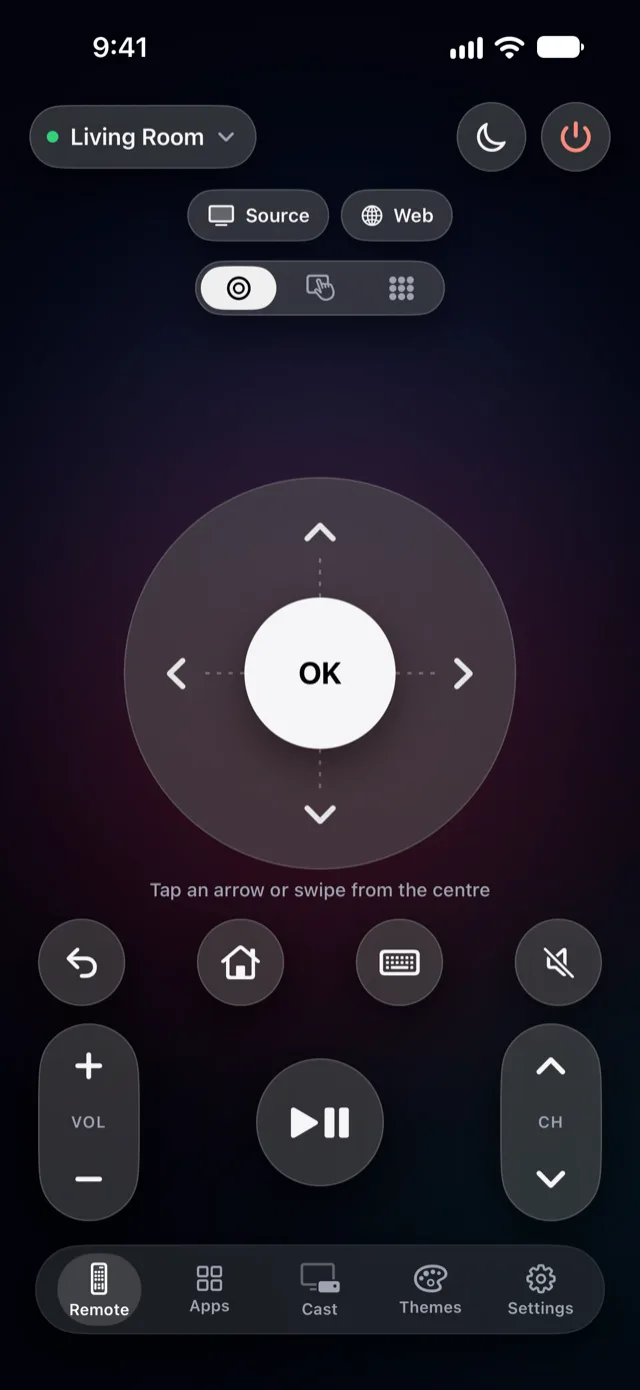
- Free forever, with no ads: power off, volume, arrows, OK, Back and Home for one TV.
- Three remote modes: a round clickpad (swipe from OK to move), a touchpad, and a number pad.
- Source to switch TV inputs, and send a web link to Samsung, LG and Google TV.
- Turning the TV on: Vymote tries Wake-on-LAN and each brand's own way. In Settings → My TVs → Turn On from iPhone, it walks you through the right TV setting and tests it.
Vymote Pro adds what only Wi‑Fi can do:
- Type with the iPhone keyboard or dictation (guide).
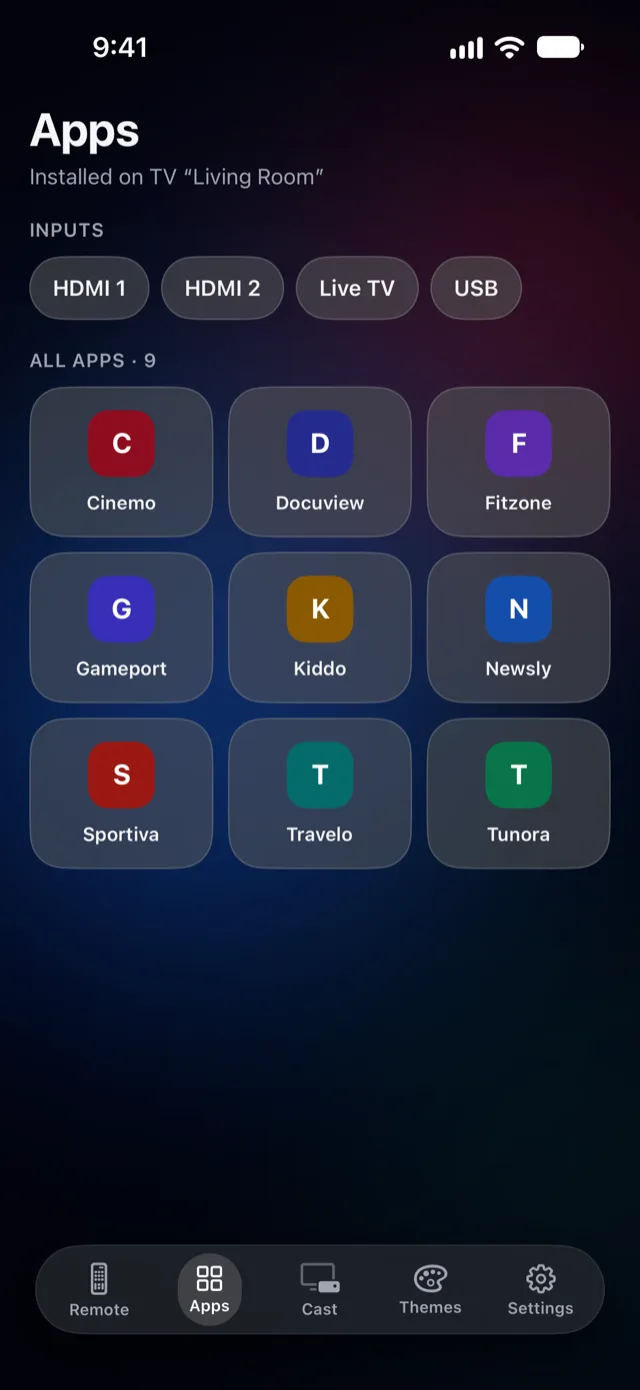
- TV apps and HDMI inputs in one tap.
- A sleep timer that fades the sound to 30% and turns the TV off — your first one is free (guide).
- Photos, slideshows and videos on Samsung, LG, Roku and some Google TV models (guide).
- Apple Watch, with the Digital Crown for volume (guide).
- Widgets, Control Center (iOS 18 and later), Siri, the iPhone volume buttons, every TV in your home, and 8 remote themes (Midnight and Classic are free).
FAQ
Can I add infrared to my iPhone?
Only with a plug-in IR accessory. iPhones have no IR transmitter built in, so remote apps on iPhone use Wi‑Fi.
Does a Wi‑Fi remote app work without internet?
It needs your home Wi‑Fi network, but the commands themselves travel locally from the phone to the TV. Vymote doesn't route them through the internet.
Is a Wi‑Fi remote slower than infrared?
On a healthy home network, presses arrive in a fraction of a second. If they feel slow, restarting the router usually helps. See Why your remote app won't connect.
Will a Wi‑Fi remote app work with my cable box?
Only if the box itself is on your network and supported by the app. Vymote controls Samsung, LG, Roku and Google TV / Android TV devices.
Which TV brands does Vymote support?
Samsung smart TVs (2016 and newer), LG webOS TVs, Roku TVs and players, and Google TV / Android TV. Brand help: Samsung, LG, Roku, Google TV / Android TV.